Thursday, November 1, 2007

Down and Dirty DV Now on MySpace

So, after much resistance, we finally have a MySpace page online for the Down and Dirty DV Nation to congregate and socialize. We are slowly, but surely drifting into Web 2.0 .

It just seemed a little silly to me to duplicate and monitor content that I already have on a blog, podcast, and website on yet another online space, but if that's what the people want these days, then so be it...I gots to give the peeeeeople, give the peeeple what they want!

Here then is what you want:


Stop by and make friends and help spread the gospel of digital guerrilla filmmaking.

-Ant.

Thursday, October 25, 2007

Check Ant Out TONIGHT on the Bennie Randall Show

I will be appearing TONIGHT (Thurs. Oct. 25th) on the Bennie Randall Show on BlogTalkLive at 9:00pm (EST).

You can listen to the streaming interview live online here and even call in live fom 9-10pm (EST) 646-478-5790 to ask me your burning guerrilla filmmaking questions, get my candid advice on how to make a dollar out of 15 cents when it comes to digital filmmaking or just words of wisdom for rising in the film game.

After today you can stream or download the archived interview on the same site.

We'll rap soon.

-Ant.

Tuesday, October 23, 2007

COMMON LOCATION AUDIO PROBLEMS AND FIXES

Know this: If you have bad audio, you have a bad project.

Why? Simple- most audiences will forgive a few bad shots, but they won’t tolerate bad sound. It’s just too annoying and difficult to sit through and still follow the story onscreen.


Fixing audio problems after the fact is often a painful, tedious, and time-consuming process . Not only that, but some audio problems are simply unfixable in post-production. You just don’t have the same flexibility that you have with picture.

So that’s why I say, if you have bad audio, you have a bad project.
But don’t despair. I’m gonna break down some of the most common audio problems in filmmaking and go over methods to avoid them altogether and give you some simple suggestions for how to fix them in post-production.

WIND NOISE

Symptom:
Frequent rumbly loud noise caused by excessive wind hitting microphone.


Preventing It:

• Block the wind by using a zeppelin, windjammer, windfoam, or moving behind any large structure.

• Activate “low-cut filters” commonly found on microphones and mixers to diminish the low frequency end of the signal which is typically the sweet spot for wind noise.

Fixing It:

• Using an equalizer you can also decrease the low frequency end of the signal to diminish rumble caused by wind noise. Graphic equalizers are typically found on mixing boards, as stand alone rack units, or more recently, as part of audio and editing software programs.

BACKGROUND NOISE


Symptom:

• Consistent and distracting hisses, hums, noisy crowds or other undesirable noise on location that make it harder to hear the main dialogue. Most commonly occurs in large events and other locations where you have little control over the environment.

Preventing It:

• Use a shotgun mic that focuses on sound only in the direction it is pointed at and diminishes the level of sounds coming from the sides or back of the mic.


Fixing It:

• Using an equalizer to adjust the high end of the audio signal may decrease some sounds, such as high frequency hisses caused by air conditioners and other machinery or traffic.

• Similarly, using an equalizer you can also boost the prominence of dialogue by increasing the middle frequencies, which cover most people’s voices.


ECHO


Symptom:

• Sound reverberates and bounces off of hard surfaces causing sounds to repeat. This is most common in rooms with little or no furniture.


Preventing It:

• Shoot only in rooms that have carpet, drapes, or soft furniture to greatly decrease the effects of echo.

• Hang some sound blankets or lay down a large area rug to absorb some of the sound bouncing off the walls and floor.

Fixing It:


Record it right the first time, because echo cannot be fixed in post-production.

INCONSISTENT LEVELS

Symptom:

• Sound levels at times are a little too soft or too loud and don’t match earlier dialogue recorded in the same scene. Typically, caused by subjects moving closer or farther from mic, poor booming, or using different types of microphones within the same scene.


Preventing It:

• Pay more careful attention to mic placement when booming.

• Use a mixer to more accurately set levels for each subject and mic.

• Mic subjects with a lavaliere mic so subject-mic distance stays consistent.

Fixing It:

• Use audio software such as The Levelator or Sound Soap to make all levels more consistent across the board.

• You can also (more painstakingly) monitor and adjust the levels of your entire audio track manually during editing.

OVER-MODULATION


Symptom:

• Loud, rumbly, unintelligible audio caused by sound levels that were too high during recording.


Preventing It:

• Wear headphones and carefully monitor audio levels

• Move the mic a little farther away from your subject to avoid over-modulation.

• Many cameras and mixers also have a limiter function that you can activate to keep sounds that are too loud from over-modulating into complete distortion. However, beware, all limiters are not created equal. Test beforehand to ensure that your device’s limiter function doesn’t completely clip or cut-off loud sounds.


Fixing It:

There’s really not much of anything you can do to actually fix audio that was originally recorded over-modulated. There are however, some common work-arounds- almost all of which are time-consuming creative compromises…

• Salvage the segment by recording a voiceover in place of the original dialogue or by replacing the audio track with music to make it musical montage.

• Have your performers do an ADR (Additional Dialogue Recording) session to redo the dialogue. This is undesirable for most documentaries and still a major hassle with actors because they must match the exact movement of their lips and the tone of conversation, not to mention that you still have to recreate the ambiance of the original location for it to work.
(*photo courtesy of Columbia-Academy.com)

FINAL CONCLUSION


Like so many other things in filmmaking (and life), an ounce of prevention is worth a pound of cure. You are always better off doing everything you can to avoid these nagging problems than spending your precious time and energy in the edit room trying to fix them.

Remember, you can’t have a good project without good sound. And good sound always separates the amateurs from the pros and the festival winners from the festival selections. Happy guerrilla filmmaking!

Til next time, I wish you all peace, love and video.

-Ant.


(*This article was originally published in the September 2007 issue of Student Filmmakers magazine)


Sunday, October 21, 2007

A good time was had by all at the "Shut Up and Shoot Documentary Guide" Launch Party.

As a result of the money raised at the door and raffle we will be providing a total of 75 "Shut Up and Shoot Documentary Guide" books to 3 diffrent NYC filmmaking programs for inner-city teens.

Here are the pix in case you missed the festivities:


Photos by Sonya Artis

Check out our Flickr Party Slideshow if you would like to see photo descriptions. (Just click "options-descriptions" on the bottom right if they aren't already turned on.)

Thanx to all our sponsors, Sutra Lounge, everyone who leant a hand and those organizations that helped to get the word out. Without your many contributions of time, talent, and resources this event would never have been possible. I am most grateful.

This Party/Benefit Was Sponsored by:

Tuesday, October 16, 2007

Come One Come All to the Guerrilla Ball!!!


It's Not a Party... It's a Par-tay!

Come partake in the par-tay with Down and Dirty DV in the East Village as we celebrate the launch of our new film book, The Shut Up and Shoot Documentary Guide (Focal Press).

Thursday, October 18th 6-9pm
Sutra Lounge - $5 min. donation - Open Bar 6-7
16 First Ave. (btwn. 1st and 2nd St.)
Sutranyc.com

*50% of the door will go to support local filmmaking non-profits with
free "Shut Up and Shoot" text books for inner-city students.


Be an Event Sponsor!

If your company wishes to be a sponsor this event, please email anthony@downanddirtydv.com with the subject line: "Party Sponsor" to receive a detailed Sponsorship Info Packet.

Sunday, September 30, 2007

Shut Up and Shoot Documentary Guide Samples

The Shut Up and Shoot Documentary Guide (Focal Press, Sept. 07) is out and getting very positive early reviews. If you want to get a sense of the flavor of the new book download the first few pages of Chapter 1 here:


Chapter 1 - Preview (.pdf)


Also check out this video clip from The Crazy Phat Bonus DVD which comes free with the book and features more than 1 hour of audio and video content, plus 30 more bonus pages, including forms, tutorials, online resources, and more valuable guerrilla resources.:

Crazy Phat Bonus DVD Teaser:
"5 Sound Rules to Live By" (5:21)


Early Reviews:
The early word on the street is...


"This book is a 10!" - MicroFilmmaker Magazine Review

"This ain't your mama's film book." -British Film Magazine Review


Get it now for 20% OFF at
DownAndDirtyDV.com


-Ant.

Sunday, September 16, 2007

Feeding Your Crew

As often as I can, I try to tell y'all about the things that people don't really think to tell you when you start in this crazy film game. The following post is just such a tidbit. It's an article I wrote two years ago that was originally printed in Student Filmmaker Magazine and is also expanded with even more practical tips in my new book, The Shut Up and Shoot Documentary Guide. Enjoy...

Meals
Food is one of the great secrets of the pros. It has a tremendous psychological effect on the crew. When the big studios and production companies do a shoot there is always a “spread” of delicious food and a continuous supply of snacks, drinks, and coffee. Crewmembers often speak of three things when describing a particular project they’ve worked on: 1) the quality of the project, 2) the organization of the shoot and 3) the food. Good food is a standard part of the deal for all professional film and tv crews. It is (and should be) expected. I wish I could lean into the ear of every student filmmaker and shout this through a bullhorn:

"DO NOT SKIMP ON FOOD FOR YOUR CREW!!!"

This is one of those critical “little details” that so many new filmmakers overlook or save as an afterthought. Feeding your crew good food is extremely important, especially when they are working for free. In the long run, you will not save a dime by being cheap when it comes to food for your crew. (Oh you’ll save on the food itself, but you will lose immeasurable amounts in crew morale, energy-level, momentum, and attitude towards the shoot.) As a general rule, the more hell you put your crew through, the better your meals and snacks should be. The crew is the machine that creates your project. Food is the fuel that runs the machine. The better the food, the better your machine will run, the better your project will turn out. It’s that simple.

NEVER SKIMP ON FOOD FOR YOUR CREW. THE BETTER YOU FEED YOUR CREW THE BETTER THEY WILL PERFORM.

Food Strategies

Because guerrilla crews tend to be so small, catering usually isn’t a practical (or affordable) option. You will mostly be dependent upon local restaurants for meals. It is a vital part of pre-production to scout out and have menus from all the local restaurants. Both Yahoo (local.yahoo.com) and Google (local.google.com) have excellent tools that search and list local restaurants. All you need is a zip code or city name. You can get restaurant phone numbers, addresses, and maps with a few keystrokes. Also, many restaurants now make their menu available online or would be happy to fax it to you. You can let the crew pick from the menu setting a dollar amount per person. An even simpler option, is to just order a variety of different dishes and serve them up buffet style.

If you’re feeding a large number of people, make sure you place your order at least a few hours ahead of time and tell them when you need it delivered or will be picking it up. I recommend you pick it up whenever possible, because delivery times can be unpredictable and it’s much easier to check and fix the accuracy of the order at the restaurant. Try to get free plates, cups, ice, napkins, and utensils when possible to save a little cash. Also, don’t forget to get receipts for your records!

Craft Services

The term craft services is just a Hollywood name for the snacks and drinks department. (Yes, craft services is a department.) You should have a craft services table (or box if you’re on the road) stocked at all times with a variety of high-energy and sugary foods and snacks, spring water, and drinks. Try to find out your crew’s favorite snacks ahead of time and keep plenty on-hand.

I know it may be tempting to save a few bucks, but stay away from generic food items. Name brand snacks and drinks are always better, even if it’s only psychological. Instead of giving them the very best, a table full of Chumps Ahoy chocolate chips and Tropican’t orange juice tells your crew that you care about them enough to get the absolute cheapest thing you can get away with. And your crew may, in return, give you the absolute cheapest effort they can get away with.

Apart from snacks and cold drinks, it is absolutely essential that you keep a fresh pot of coffee and hot water for tea on-hand at all times, morning, noon, and night. If food is the fuel of the filmmaking machine, then caffeine is the lubricant that keeps the parts moving and extends the life of your crew. Keep your filmmaking machine gassed up and lubricated and you will get noticeable results in performance and morale and a reputation as someone who takes care of their crew people.

If you have a sizeable crew, try to find a dedicated craft services person. A good craft services person will often be the most popular person on set. This is a perfect position for those eager friends and relatives that want to help out, but have no filmmaking experience. Their job is simply to keep the food and snacks flowing, help coordinate meals, and help clean up the mess afterward. It’s a great low stress position for someone that just wants to be a fly on the wall and observe. (*craft services photo: courtesy of bravotv.com)

KEEP SNACKS, WATER, AND CAFFEINE FLOWING AT ALL TIMES. TRY TO GET A DEDICATED CRAFT SERVICES PERSON.

Taking Care of the Vegetarians

Personally, I’m a carnivore, but these days I have rarely done a shoot that didn’t involve at least one vegetarian or vegan (vegan = no meat, dairy, or egg products) crewmember. Make sure you survey the crewmembers ahead of time for vegetarian or other special dietary needs, so you’ll know how many veggie or special meals you’ll need daily. To make life easier find out what types of common dishes they do like and which local restaurants they prefer.

Vegetarians, and especially vegans, are sometimes treated like second-class citizens when it comes to mealtime on a film crew. However, do not ignore these crewmember’s dietary needs. I can tell you from experience that vegetarians will not want a salad or a simple side dish for every meal. It’s definitely harder to find menus that accommodate vegetarians, but you’ve got to put in the legwork to make it happen or else you will have some miserable souls on your crew and it will be reflected in their energy and work. Take care of these people and they’ll take care of you.

MAKE SURE YOU KNOW WHO THE VEGETARIANS & VEGANS ON YOUR CREW ARE AND PLAN FOR THEIR SPECIAL DIETS.

Peace, Love, and Video
-Ant.

Saturday, August 18, 2007

Ipod Recorders & DIY Boom Poles

I was gonna leave this as a response to a comment from Joseph on the last post, but I had some issues posting links in the comments box and I figured other people might also be looking for this info.

So, if you too are looking for a low cost solution to for a Digital Recorder or a DIY Boom Pole peep the below:

IPOD RECORDER ATTACHMENTS

I have an attachment that connects to my video iPod that records CD quality (44.1KHz, 16-bit stereo) audio and has a connection for an external mic. I use it as is for my podcast and I've been very happy with the recording quality.

Check it out here:

Belkin Tunetalk Stereo

There's also this one, which I'm not familiar with, but it got a good review as well:

Xtreme Mac Micro Memo


Apart from these, just sniff around the web for digital recorders, if you're looking for a stand-alone recorder.


D.I.Y. BOOM POLES

As for DIY boom poles, there are a bunch of different designs online. Peep these and scour the net and filmmaking forums for more:


Neil Slade's Design
http://www.neilslade.com/Papers/pole.html

Wiremonkey's Boom Pole
http://www.wiremonkey.com/boompole.htm

Number 28 Boom Pole
http://www.number28.com/backlot.html

DV User Forum Post
http://www.dvuser.co.uk/content.php?CID=6

Indy Mogul Video Podcast Tutorial
http://www.indymogul.com/episode/imwe_20070727

Happy guerrilla filmmaking.

-Ant.

Thursday, August 16, 2007

Yo Where's Ant-ny Been?

After a long summer hiatus I am kicking the blog and podcast back into full gear for the Fall. I know some of you are mad at me for such a looong unannounced absence, but when you see what I’ve been working on morning, noon, and night for a very long time, I hope all will be forgiven.

I spent the first half of the summer finally completing the NEW Down and Dirty DV book. (And I spent the second half of the summer recovering from the effort, going on my very first trip to Europe and finally spending some quality summertime with the fam.)

I am now very excited to say that after more than 2 years of straight hustling, the first PUBLISHED Down and Dirty DV book is complete and finally ready for public consumption.

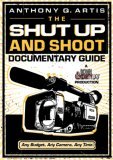
The Shut Up and Shoot Documentary Guide weighs in at 296 full-color pages, 500+ photos and illustrations, and features a Bonus DVD that I will dare to say is the absolute best free DVD included with any film book on the market.

Basically the new book is a greatly enhanced and expanded version of the first book, Down and Dirty DV – Vol.1: Documentaries. This new book is my best attempt to break down the filmmaking process into simple, illustrated, no-nonsense step-by-step tutorials and ultra-practical real-world advice based on all the things I wish someone had told me before I began my own filmmaking journey.

It could just have easily been titled, All the Things I’ve Done Wrong in Filmmaking and How You Can Avoid Them. (And I’ve done a lot of things wrong in filmmaking over the years, so there’s much to be learned, especially if you’re just starting out.) Although it's doc-specific, most of the info in this book can be applied to narrative filmmaking as well.

Apart from my own advice the new book also features wisdom from Academy Award-winning and nominated docmakers such as Albert Maysles (Grey Gardens, Lalee’s Kin, Gimme Shelter, etc.), Sam Pollard (When the Levee’s Broke, 4 Little Girls, etc.), Adrian Belic (Genghis Blues, Beyond the Call), John Canemaker (The Moon and the Son), plus a bunch more notable and up and coming doc figures.

Anyway, if you’re down with this blog and our iTunes podcast, then you should definitely buy the book and support your favorite digital video pimp. It’ll be available in all the major book stores, but I'll have a more money to invest in the blog and podcast if you order it directly from the Down and Dirty DV website or this blog.

If you’re a filmmaker and you’re on the fence about buying this book, I just pose one question to you:

If I give you all the quality info in the blog and podcast for FREE, how much MORE quality info do you think I’ll give you if you actually PAY for it?

ANSWER: A Whole Helluva Lot More! With pictures, audio, and video.


Yes, Anthony, I’m down with Down and Dirty DV and I'm tired of talking about the movie I want to make and ready to shut up and shoot. I want to buy this book right now and finally EXECUTE the films in my head!


'Til next time y'all, Peace, Love, and Video,
-Ant.
Friday, April 27, 2007

7 Hot Products for Guerrillas at NAB 2007


I recently returned from the annual NAB (National Association of Broadcasters) Show in Las Vegas. If you're not familiar with the NAB show, it's the world's largest electronics show where all the camera, sound, light and software manufacturers show off all their newest and hottest gear.

NAB is definitely worth making a pilgrimage to sometime, especially if you are a gearhead or techie. Not only c
an you check all the latest in film and video tools, but you can talk to the people who make and represent the products... all side-by-side. The show floor is so big that you can not take it all in in a day.

Below is my report on some the most exciting new and recent products for guerrillas that I saw at NAB. Keep in mind, these are my favorite picks for products that I believe would be useful for us low-budget guerrillas, so I'm not covering all the coolest gadgets I saw, just the ones that are practical and reasonably affordable for the low-budget crowd. By the way, you can click to enlarge most of the pix below. Please feel free to share a comment if you have info or links to add about these products. Here's my take:


1. The Rosco LitePad

Rosco, best known for their gels, has made a new venture in the world of lighting with their new LitePad. Rosco's LitePads are ultraslim light units that resemble two panes of plexiglass sandwiched together. They consume very little power (12volts). They are lightweight and generate very little heat. Rosco's website suggests using them as prop lights (as in the light source from a tv or computer) or to squeeze into tight sets for supplementary lighting. It was too bright on the showfloor to tell, but I would venture to say that these units could also be employed as onboard camera lights for ENG and doc shooting- essentially, a poor man's LitePanel. They come in various shapes and sizes from 3x3 up to 12x12. Best of all they are affordably priced. I believe the rep quoted the price on the 3"x12" unit at just under $200.00 . For some reason exact pricing on these units is still pretty elusive, but I know they are way cheaper than the popular, but pricey, LED LitePanels. If anyone has actualy used these units in the field, pleae enlighten us more with a comment below.


2. Sony's XDCam EX

Sony has jumped onto the solid state bandwagon with it's new prosumer entry, the XDCam-EX, which is basically Sony's answer to Panasonic's HVX-200. (Check out Camcorder Info's video clip about the XD-Cam EX.) Scheduled to drop somewhere around the end of this year, the XDCam EX will be priced comparably to the HVX-200 at around $8000. Most notably, the XDCam EX will feature three 1/2" image chips and capture 1080i, 720P and 1080P HD footage to Express PC cards which fit neatly into a little slot on Apple's MacBook Pro and other PC computers for instant editing. It has variable frame rates, so you can under or overcrank the camera to get fast or slow motion effects. Sony's Express PC cards are called "SxS Cards" (pronounced "S by S"). The SxS Express Cards are smaller and transfer data faster than Panasonic's P2 cards. According to Sony a 16GB SxS card will hold about an hour of HD footage. The camera has 2 SxS card slots, so you could shoot a total of 2 hours if you had two cards. It' smaller than the HVX and I think even smaller than Sony's HDV line. Canon...the tapeless aquisition ball's in your court. Man up!

3. Digitronics Spycopter

Digitronics apparently makes little flash card cameras and RC helicopters seperately and eventually got the bright idea to put the two together and the result is a Down and Dirty news chopper. Okay, maybe that's a stretch, but the ability to get controled aerial video shots for under $1000 is still quite notable. I wasn't very impressed with the imagery of the Digitronics flash memory video camera, but it could probably pass muster for online videos, quick crowd shots, bird or insect point-of-view shots, and anything quick. I also imagine you could also get away with some sort of special FX treatment in post like posterization, heavy grain, black and white, etc. I honestly have no practical filmmaking use for it at the moment, but I'm sure if I think on it a little longer on it I'll come up with a good reason to get one, (or at least a reason that will convince my wife).

4. Tiffen DFX Digital Filter Suite

Tiffen, the king of filters, has come up with a very intriguing new product with their new DFX Digital Filter Suite software hitting the market any day now. It’s sort of their version of Magic Bullet software. Only instead of just film looks, Tiffen’s software also simulates hundreds of different Tiffen filters such as graduated sky filters, Soft FX, star filters, on and on, all for about $300. I’m still a little skeptical for reasons I‘ll get to in a moment, but two things really impressed me about this software: 1) It has a clean simple user-friendly interface similar to Apple’s software products (iFilter?), but also integrates into Final Cut Pro and Avid and 2) It packs in a wide-variety of preset looks and Filter FX that can also be customized and tweaked further. The only reason I’m skeptical, is that in the demo that Tiffen gave on the show floor, they only used still photos. All the images looked great with the filters applied and it only took a few minutes to create mattes and completely change the image to a variety of different looks. Which certainly leaves one to question whether the product is considerably slower with video FX and whether the video FX will look as good as the stills. (Otherwise, why would you only demo still photos to a moving video crowd?) So I’m skeptical, but if this product performs as claimed and as I saw demo’ed, I think it would be a powerful addition to any videographers arsenal allowing us greater flexibility and ease with manipulating our images- after the fact. The most obvious application to me was for music videos. They have free demos, but I haven’t had a chance to install it and put it through the paces. To get a free demo, click here then fill out the form on and make sure you put "DFX" in the Feedback box. In my experience, Tiffen’s always put out quality stuff, so I suspect that even if this first software offering does have quirks and issues, it will probably improve with time. When I get around to doing a full demo, I’ll try to put something online. No promises though.

5. Toon Boom Storyboard Pro

Storyboarding software has been around for awhile now, but Toon Boom takes it to the next level with the addition of animatics in Storyboard Pro. Unlike some other storyboarding programs that give you bare bones starter images, Storyboard Pro comes fully loaded with plenty of characters, props, and settings. Moreover, it can be used with a Wacom tablet, so you can sketch your own storyboards directly into the program. Coloring in and resizing characters and props takes just seconds. However, where Storyboard Pro really shines is in it's ability to animate the completed storyboards to replicate dolly shots, crane shots, zooms, etc. in a matter of minutes. Again, it's easy, fast, and effective... all synonymous with Down and Dirty filmmaking. Unfortunately at $900.00 it ain't cheap. However, if you shoot action features or do animation, this tool could go a long way to saving time experimenting with shots that don't work and let you fully visualize your film before a single frame is even shot.


6. Hoodman Wrist Support

If you're shooting Down and Dirty-style chances are you do a lot of handheld, and if you're skinny like me, chances are your wrist hurts like hell after a long day of shooting. Take the Ben-Gay out of your camera bag and try replacing it with one of these babies from Hoodman, the maker of popular LCD screen hoods. I tried this out for a few minutes on the show floor and really liked the feel. It's not a steadying device, although it definitely helps. Rather, this is a rigid padded wrist support that kinda resembles the wrist pads used for rollerblading with two hard splints on either side and a mounting bracket for the camera similar to that on a tripod. It distributes the camera weight more evenly over the forearm which takes a considerable amount of strain off your wrist and the velcro fasteners keep it snug and comfortable. With this little gadget, you can actually drop your hand and completely let go of the camera and it will still stay snug. It actually feels more like the camera is some type of cyborg extension of your arm. You don't hold it as much as it becomes another part of you...very cool. At around $200.00 (if I recall correctly) it's definitely within a guerrilla budget and well-worth it for people who do a lot of handheld camerawork. At last check, they didn't have it up on their website yet, but I'm sure it will materialize soon. (photo from DigitalMediaNet.com)

7. The Losmandy Spider Dolly

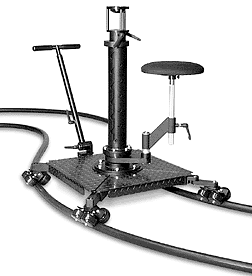
I wrote about this one in a previous post, so I'm just gonna link to it. I'm listing it here again, because I'm still surprised that more people don't know about this innovative little dolly by the good people at Losmandy. It's easier to use, more flexible, and less expensive than many dollies on the market and the whole thing folds up into a little suitcase. I played with it for about an hour on the show floor and remain a huge fan. Anyway, click here for the previous post.

Wrap Up


So that's about it for my top picks. There were plenty of hot products at NAB this year, but these are just the top five that immediately caught my imagination as effective tools for digital filmmakers on a budget.

Now I'm sure many of you may be wondering what about the amazing incredible mythical legendary
Red One 4K camera and why it's not on this list. The truth is it was the biggest buzz of the show and I was so impressed that I want to give it it's own entry apart from this round up, so I'll be dropping a video podcast on it as well... very very exciting stuff happening there. Stay tuned peeps. Til next time...

Peace, Love and Video, Baby. I'm out.

-Ant.